
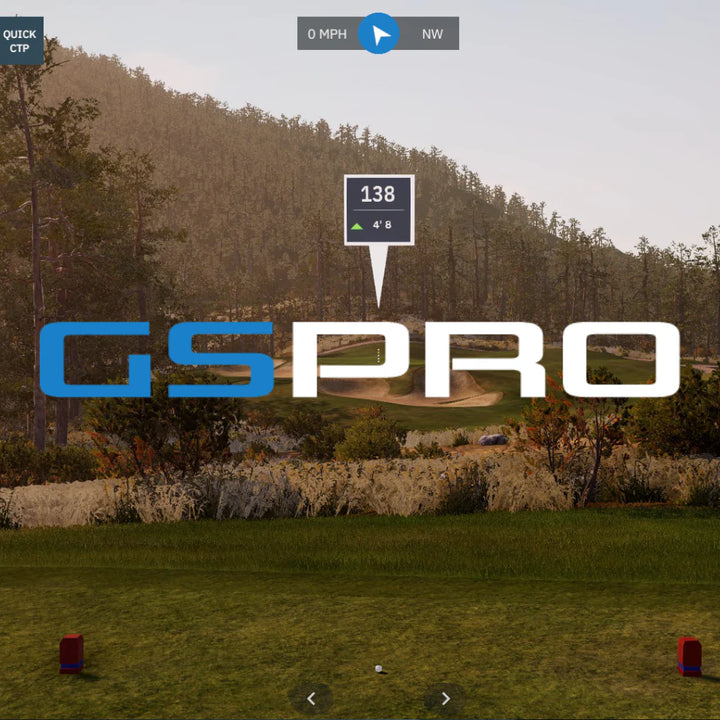

Square Golf Omni Launch Monitor with ipad and phone
Square Golf Omni launch monitor on golf fairway
Stand alone Omni
Golf Simulator Launch Moniotr square golf omni
sside on view of square golf omni launch monitor
Top view of square golf onmi luanch monitor
Screen display of square golf omni launch monitor

Square Golf Omni Edition

Regular price$2,999.00
/
Shipping calculated at checkout.

Indoor Use Only

The next evolution of Square Golf, built for golfers who want tour-level data, simulator-ready performance and complete flexibility both indoors and outdoors without the ongoing costs.


  • Omni Launch Monitor
  • Tripod Stand
  • Rechargeable Battery
  • Shaft Stickers
  • Clubface Stickers
  • Charging Cables
  • Alignment Stick
  • 1000 Welcome Credits

Up to 6 hours continuous use (removable lithium-ion battery)

Please view full information for terms and conditions.

Delivery

2-10 days.

Read the full shipping terms here

Returns

30 day returns or exchanges.

Online purchases can submit a return request via our returns service.

Read the full returns terms here

Square Golf Omni Launch Monitor

  • Tour-level data indoors and outdoors for accurate performance tracking wherever you play.
  • Advanced four-camera infrared tracking system captures precise ball and club data on every shot.
  • Designed for both indoor simulator setups and outdoor practice sessions.
  • Instant shot feedback with a larger hitting zone for a more seamless playing experience.
  • Integrates smoothly with leading golf simulator software for immersive gameplay and training.

Game-Changing Software

  • No subscription fee & 1,000 FREE golf course credits.
  • 4 Game Modes including Driving Range, Closest to the Pin, Putting & Full Golf Course play.
  • In-depth golf club & ball data to help analyse and improve your game.
  • Available on the App Store, Google Play & downloadable for Windows.
  • Connect seamlessly with third-party software including GSPro, E6, Awesome Golf & more.

What Can It Do

  • Key Data: Ball speed, launch angle, spin, spin axis, carry distance & shot direction.
  • Advanced Club Data: Club speed, club path, face angle, attack angle, dynamic loft & smash factor.
  • Ball Data Tracking: Speed, direction, launch angle, spin rates & spin axis for precise shot analysis.
  • Club Data Tracking: Path, attack angle, dynamic loft, face angle, speed & impact location.

Indoor & Outdoor Use

  • Designed for both indoor simulator setups and outdoor practice environments.
  • Delivers reliable accuracy across varying light conditions, weather, and turf surfaces.
  • Perfect for home golf simulators, garages, driving ranges, and on-course practice sessions.
  • Advanced tracking technology maintains precise ball and club data in changing environments.
  • Built for golfers who want a seamless transition between indoor simulation and outdoor training.

Simulator Ready

  • Includes built-in software for instant simulator play and practice straight out of the box.
  • Connects seamlessly with leading golf simulator platforms for an immersive golfing experience.
  • Access multiple game modes including driving range sessions, course play, challenges, and skills training.
  • Enjoy a wide range of virtual golf courses and realistic simulator gameplay from home or the range.
  • Perfect for golfers wanting an all-in-one launch monitor and simulator solution.
Screen display of square golf omni launch monitor

Built-In Display

  • Integrated display provides instant shot feedback directly on the device after every swing.
  • View key ball and club data quickly without needing external phones, tablets, or monitors.

Compatible with

Frequently Asked Questions

Square Golf uses dedicated simulation software compatible with Android, iOS, and Windows PCs. The platform includes:

  • Driving Range
  • Closest to Pin
  • Putting Practice
  • Full 3D Golf Course Play

You can enjoy high-quality graphics and realistic gameplay across PCs, tablets, and mobile devices. Graphics settings can be adjusted to match your device performance for the smoothest experience.

Square Golf includes multiple practice modes designed to improve every part of your game:

  • Driving Range – Full swing practice with detailed shot feedback
  • Closest to Pin – Precision approach shot challenges
  • Putting Practice – Distance control and green-reading development

Each mode delivers instant shot data to help you refine your technique.

Square Golf offers high-quality, realistic 3D golf course gameplay, with new courses added regularly.

  • Play under rules similar to traditional screen golf
  • Up to 4 players can compete simultaneously
  • Online login required for course play
  • Small per-player, per-hole credit fee applies

Perfect for competitive rounds with friends or family at home.

The number of available courses continues to grow, with ongoing updates delivered through the software.

Android

  • Android 10.0 or higher
  • Google Play Store supported
  • Most devices released after 2019 will operate smoothly

iOS

  • iOS 13 or higher
  • Compatible with modern iPhone and iPad devices

Lower-spec devices may require reduced graphics settings for optimal performance.

⚠️ macOS is currently not supported.

Yes. Windows PC requirements:

  • Windows 10 (64-bit) or higher
  • Minimum 4GB RAM
  • 2.4GHz processor or better

For PCs without built-in Bluetooth, use a BLE-compatible Bluetooth 4.0+ dongle, ideally plugged directly into a USB 2.0 port on the motherboard.

Lower-spec PCs may run the software, but performance may be reduced.

Android: Search “SquareGolf HE” on the Google Play Store


iOS: Search “SquareGolf HE” on the App Store

Windows: Download via the official Square Golf website

Yes — with limitations.

  • Practice modes can be used offline
  • Golf course gameplay requires an internet connection (account login required)

Yes. Faster internet ensures smoother gameplay and better real-time responsiveness.

For best results:

  • Use WiFi 5GHz instead of 2.4GHz
  • Minimise walls or obstacles between router and device
  • Keep router close to the simulation setup

Built-in rechargeable battery


Up to 8 hours of use per full charge


Fast chargers can be used, but fast charging is not supported

Memberships

Yes. A membership account is required to access certain features and online gameplay.

No — there are no subscription or annual fees.

Yes. Golf course gameplay uses a credit system:

  • 1 credit per player per hole
  • Credits must be purchased in advance
  • Pricing is available inside the app under My Account

No. Credits are tied to the purchasing account and cannot be transferred.

Free promotional credits can only be used on the registered account and device used during registration.

Android

  • Android 10.0 or higher
  • Google Play Store supported
  • Most devices released after 2019 will operate smoothly

iOS

  • iOS 13 or higher
  • Compatible with modern iPhone and iPad devices

Lower-spec devices may require reduced graphics settings for optimal performance.

⚠️ macOS is currently not supported

Yes. Windows PC requirements:

  • Windows 10 (64-bit) or higher
  • Minimum 4GB RAM
  • 2.4GHz processor or better

For PCs without built-in Bluetooth, use a BLE-compatible Bluetooth 4.0+ dongle, ideally plugged directly into a USB 2.0 port on the motherboard.

Lower-spec PCs may run the software, but performance may be reduced.

Square Golf Trouble Shooting

Check your internet connection on your PC, tablet, or phone.


Devices released before 2019 may struggle with performance.


Try lowering the graphics quality settings within the app.


If issues persist, consider using a newer device for smoother performance.

Check the following:

Swing Path

Your swing must pass directly over the golf ball. If it deviates too far from the ball path, it may not register.

Club Face Alignment

Ensure the front of the swing stick is facing forward through impact. Excessively open or closed face angles may not be detected.

Swing Quality

Very erratic or abnormal swings may not be recognised. Focus on a smooth, controlled motion.

Distance from Device

Keep the golf ball close to the Square Golf unit to ensure proper detection range.

Club Stickers

Attach the dedicated club stickers included in your package. Refer to the manual for correct placement.

Swing Path & Strike Quality

Extreme in-to-out or out-to-in swings, or heavy/fat shots, may prevent accurate club data display.

  • Use a white or light-coloured golf ball.
  • Avoid reflective shoes or clothing that may interfere with the camera system.

Reflective surfaces can impact ball recognition accuracy.

  • Confirm the app is in the correct mode.
  • Make sure the golf ball is placed within the ready area.

If the device hasn’t been used for some time, it may enter standby mode:

  • Restart the app
  • Or return to the main menu and re-enter your mode

Also check that the red infrared LED in the centre of the Square Golf is illuminated when the ball is detected. If not, contact support.

For best accuracy:

  • Mount the unit at the same height as the golf ball
  • Avoid direct sunlight or strong infrared lighting
  • Ensure your mat colour contrasts clearly with the ball
  • Keep the ball fully within the ready area

Correct setup is critical for precise data readings.

  • Place the alignment stick directly in front of the Square Golf device.
  • Ensure the mat colour contrasts clearly with the alignment stick.
  • Remove any bright-coloured objects (including golf balls) nearby.
  • Allow up to 10 seconds for detection.

After alignment appears in the app, press OK or Cancel to confirm, then remove the stick.

To maintain a stable connection:

  • Keep the Square Golf unit and app device close together.
  • Avoid physical obstructions between devices.

If disconnected:

  1. Reconnect via the app menu.
  2. If that fails, power cycle the Square Golf unit.
  3. Then reconnect through the app.

A blinking Bluetooth LED indicates connection loss.

  • Ensure your PC supports Bluetooth Low Energy (BLE).
  • If not, use a BLE-compatible Bluetooth 4.0+ dongle.
  • Check that Bluetooth is turned on in your PC settings.
  • If already on, toggle Bluetooth off and back on (power saving may disable it).

This typically resolves connection issues.

  • Check battery charge status.
  • If the device only works when plugged in, the battery may be fully discharged.

Try the following:

  1. Connect the AC adapter and allow charging.
  2. If still not powering on, remove the battery, connect AC power, turn on the unit, then reattach the battery.

If the issue persists, contact Aussie Golf Sims support.

Go to My Account and ensure your account is set to left-handed.


When entering Game Mode, check the “Players” section.


Confirm all left-handed players are correctly set under the “Handed” option.

Spare Parts

On the off chance your Aussie Golf Sims product needs a new part, we’ve got a full range of spares ready to keep your setup swinging smoothly.

High Quality

Quality is at the heart of everything we do at Aussie Golf Sims. All of our products are built to the highest standards to ensure long-lasting performance.

Golf simulator screen with 'Aussie Golf Sims' logo on a grassy field with a lighthouse in the background.

Affordable

We pride ourselves on being the most affordable home golf simulator in Australia — because every golfer deserves to play, rain, hail or shine.

Golf ball with 'Aussie Golf Sims' logo held in a gloved hand against a black background

Customer Focused

We put the customer at the front of what we do, without you guys there is no Aussie Golf Sims, we believe in providing the best service we can, pre - post purchase.